How to Add a Watermark to a PDF Free (Text or Logo)
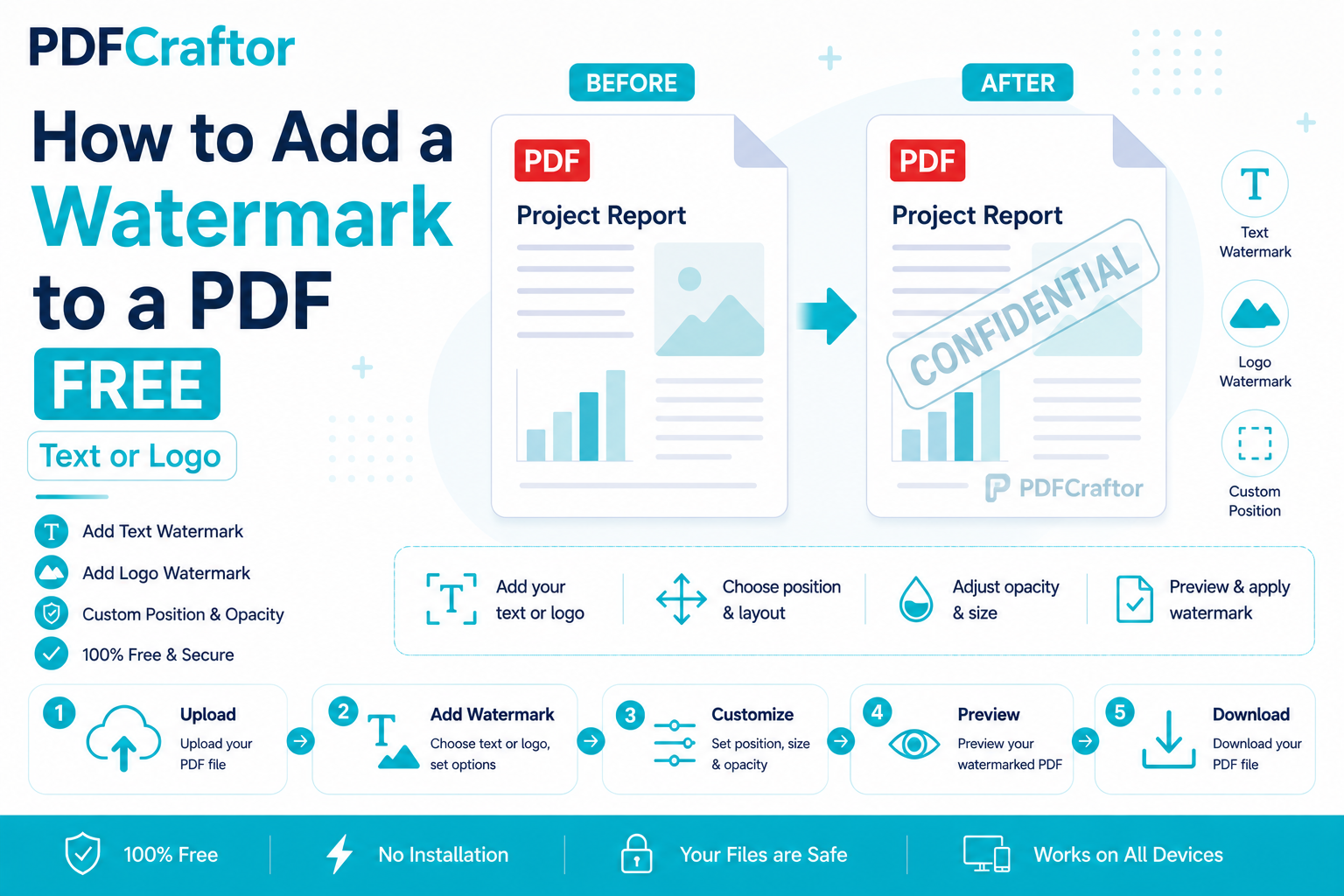
To add a watermark to a PDF for free, upload it to a browser-based add watermark to PDF tool, type text like "Confidential" or upload a logo, set the position and opacity, and download. It applies to every page in about a minute — no software, no signup.
- Text or logo: stamp a status label or your brand mark
- Opacity sweet spot: 20–35% so it's seen but stays readable
- Position: a centred diagonal stamp is the classic "official" look
- Extra security: pair it with a password for sensitive files
You're about to send a draft contract, a design proposal, or a price list. Before it leaves your hands, you want one thing stamped across every page: "Confidential." Or maybe your brand logo, faint in the background, so nobody passes your work off as their own.
That's what a watermark does — it protects, brands, and labels a document in one move. And you can add one to a PDF free, in your browser, in about a minute. Here's how, plus the small settings that make the difference between "professional" and "ruined the document."
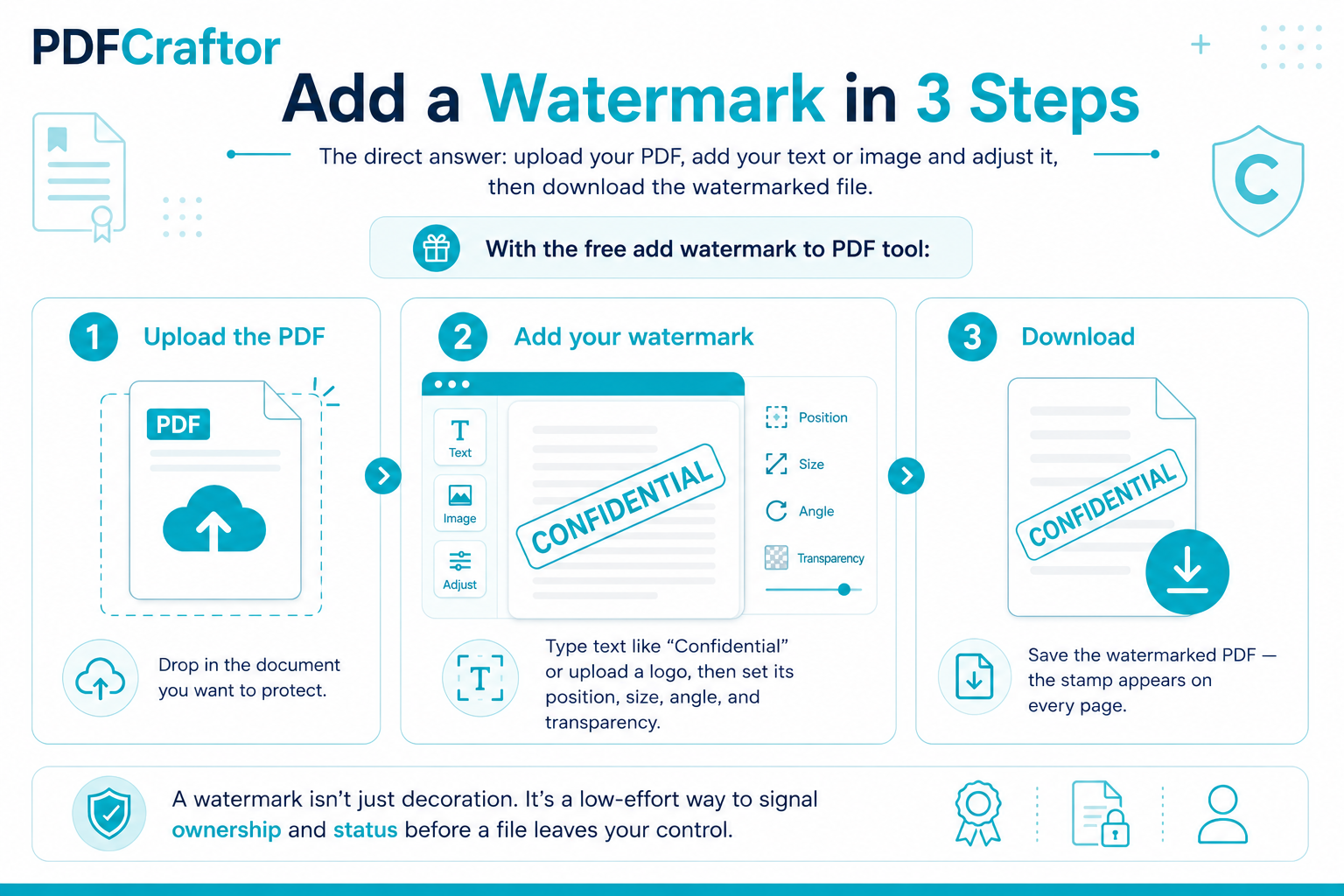
Add a Watermark in 3 Steps
Infographic by pdfcraftor.com
The direct answer: upload your PDF, add your text or image and adjust it, then download the watermarked file. With the free add watermark to PDF tool:
- Upload the PDF. Drop in the document you want to protect.
- Add your watermark. Type text like "Confidential" or upload a logo, then set its position, size, angle, and transparency.
- Download. Save the watermarked PDF — the stamp appears on every page.
A watermark isn't just decoration. It's a low-effort way to signal ownership and status before a file leaves your control.
When (and Why) You Should Watermark
A watermark answers a quiet question the reader might have: what is this, and can I use it?
- Status labels: "Draft", "Confidential", "Sample", "Paid" — instantly tells the reader how to treat the file.
- Brand protection: a faint logo across proposals or photos discourages people from reusing your work as their own.
- Traceability: stamping a client's name on a shared document makes leaks easier to trace.
It's the same instinct behind locking a file — you're controlling how a document travels. If the content is truly sensitive, pair the watermark with a way to password protect the PDF so it can't be opened by the wrong person in the first place.
Text Watermark vs Logo Watermark
Both work — they just send different signals.
| Type | Feel | Best for |
|---|---|---|
| Text watermark | Loud, unmistakable | Legal drafts, internal docs, "DO NOT COPY" |
| Logo watermark | Quiet, polished | Proposals, portfolios, client-facing files |
A text watermark ("CONFIDENTIAL") is loud and clear — use it when the message matters more than the look. A logo watermark is quieter and more professional. If your logo is a photo with a background, remove it first with a background remover so it sits transparently over the page.
Getting Opacity and Position Right
This is where watermarks go wrong. Too dark, and it hides the text underneath. Too faint, and it's pointless.
Aim for around 20–35% opacity — visible, but you can still read the document through it. A diagonal angle across the centre is the classic "official" look and is hardest to crop out. If you're branding rather than protecting, a small logo in a corner at low opacity often looks more professional than a giant stamp. The best watermark is noticed but not distracting — if it makes the document hard to read, dial the opacity down.
Watermark Ideas for Different Documents
The right watermark depends on what you're sending. A stamp that suits a legal draft looks heavy-handed on a design portfolio. Here's a quick guide:
- Contracts & agreements: a centred "DRAFT" or "CONFIDENTIAL" in grey, around 30% opacity.
- Invoices & quotes: a "PAID" or "SAMPLE" stamp, or your logo in a corner.
- Portfolios & proposals: a faint logo, low opacity, tucked into a corner.
- Photos & creative work: a small, semi-transparent logo so screenshots still carry your name.
- Internal reports: the recipient's name across the page — a subtle deterrent against forwarding.
Notice the theme: louder for protection, quieter for branding. Match the intensity of the watermark to the job it's doing, and the document still looks intentional rather than defaced.
How to Watermark Only Certain Pages
By default, a watermark lands on every page — which is usually what you want. But sometimes you only need it on the cover, or on a single appendix, not the whole document. There's a simple workaround that takes about a minute.
Split the PDF so the pages you want to stamp sit in their own file, watermark just that file, then merge everything back into the right order. You can split the PDF and merge PDF files back in seconds, and the pages you left alone stay completely clean.
The same split-and-merge trick helps when you're watermarking a batch of documents with different labels — say, stamping each client's name on their own copy of a proposal. Prepare each file separately, apply its watermark, and you've personalised a whole set without any specialist software. It's a little manual, but for a handful of files it's faster than learning a heavyweight PDF suite, and it costs nothing. Once you've done it once, the rhythm — split, stamp, merge — becomes second nature.
FAQ
How do I add a watermark to a PDF for free?
Upload your PDF to a browser tool like PDFCraftor, add text or a logo, set the position and opacity, and download the watermarked file. It's free, with no signup.
Can I use my own logo as a watermark?
Yes. Upload your logo image, position it on the page, and lower the opacity so it sits subtly behind the content.
Will the watermark appear on every page?
By default, yes — the watermark is applied across all pages. If you need it on only some pages, split the PDF, watermark those pages, and merge them back.
Can a watermark be removed by someone else?
A watermark baked into the PDF is hard to remove cleanly, especially a centred diagonal one. For real security, combine it with password protection.
Does adding a watermark reduce PDF quality?
No. The original content stays intact; the watermark is simply layered on top. Only an image watermark slightly increases file size.
Is it safe to watermark confidential PDFs online?
Reputable tools use an encrypted connection and delete your files automatically after a short period. For highly sensitive documents, check the tool's privacy note first, and pair the watermark with a password for an extra layer of protection.
Conclusion
The short version: a watermark is the cheapest insurance a document can carry. Text like "Confidential" sets the rules, a faint logo stakes your claim, and a recipient's name quietly discourages forwarding.
Keep the opacity in that 20–35% sweet spot so the stamp is seen but never blocks the reading, and match its loudness to the job — bold for protection, subtle for branding. If the content is genuinely sensitive, back the watermark up with a way to password protect the PDF so the file can't be opened by the wrong hands in the first place.
Add one free with the watermark PDF tool — it takes about a minute, and it's the difference between a document you've simply sent and one you've actually protected.
Share this article
Sharad Mishra
Content Writer
Published on July 12, 2026
Related Articles
5 PDF Editor Tools That Are Better Than Adobe (For What Most People Actually Do)
Adobe Acrobat Pro costs around $240 a year. These 5 free PDF editor tools merge, split, compress and edit PDFs without the price, the account, or the bloat.
How to Convert PDF to Excel Free (and Extract Tables Without Retyping)
Learn how to convert PDF to Excel free and extract tables into editable spreadsheets, no manual retyping, no software. Works for bank statements and reports.
How to Split a PDF Free: Cut, Separate and Extract Pages
Learn how to split a PDF for free, cut out pages, separate a big PDF into parts, or extract a single page online without software. Step-by-step, no watermark.